![Craft Stunning Album Art FREE with AI [Artificial Intelligence] - Tunepact Blog](/_next/image?url=https%3A%2F%2Ftunepact.s3.us-west-2.amazonaws.com%2Fblog-posts%2Fai-auto%2Fai-album-art-generator-featured.png&w=1920&q=80)
Craft Stunning Album Art FREE with AI
As an independent musician, you know that a compelling album cover is more than just an image – it's your visual handshake with potential fans, a first impression that can make or break a click. But let's be honest, professional graphic design can be a significant hurdle, both creatively and financially. What if we told you there's a powerful new ally in your corner, ready to help you craft breathtaking album art without breaking the bank?
Welcome to the era of Artificial Intelligence in art. AI tools are democratizing high-quality visual design, putting professional-grade artwork within reach for every independent artist. TunePact is here to guide you through leveraging this revolutionary technology to create album art that truly resonates with your music.
The Future of Album Art: Harnessing AI for Independent Musicians
Independent artists often juggle multiple roles – songwriter, performer, producer, marketer, and often, graphic designer. Creating professional, eye-catching album art can be one of the most challenging hats to wear, requiring specific skills or a budget that many DIY musicians simply don't have. This can lead to generic or low-quality visuals that fail to capture the essence of your music and detract from your brand.
This is where AI steps in as a game-changer. AI image generators allow you to conjure unique, high-quality visuals from simple text prompts, offering an unprecedented level of creative control and efficiency. It means you can translate your musical vision into stunning artwork, often for free or at a minimal cost, making professional-grade visuals accessible to all.
Why AI for Your Album Cover?
The primary appeal of using AI for your album cover lies in its unparalleled combination of cost-effectiveness and speed. Instead of spending hundreds on a designer or countless hours learning complex software, you can generate multiple artistic concepts in minutes. This empowers you to experiment with different styles and themes, ensuring your final artwork perfectly encapsulates your sound.
Furthermore, AI tools can help you develop a unique visual identity, setting your releases apart in a crowded market. You retain full creative control, steering the AI with your prompts to align the visuals precisely with your brand and the mood of your music.
What You'll Learn in This Guide
In this comprehensive guide, TunePact will walk you through everything you need to know about creating professional, copyright-savvy AI album art. We'll cover how to choose and use the best AI tools, craft effective prompts, and prepare your artwork for release. Our focus is on providing actionable, step-by-step instructions to help you produce high-quality, professional album artwork that aligns with your unique brand.
You'll discover how to navigate the technical aspects, from generating initial images to upscaling them for distribution. We'll also delve into the crucial legal considerations surrounding copyright AI music art, ensuring you're well-informed for your release. Get ready to transform your creative process and elevate your music's visual appeal.
Dive into Your Free AI Album Cover Generator Toolkit
The landscape of AI art generators is rapidly evolving, with new tools emerging regularly. For independent musicians, the key is to find platforms that offer powerful features, ease of use, and ideally, a free tier or trial period. These tools act as your digital canvas, bringing your conceptual ideas to life.
Understanding the basics of these platforms is your first step toward creating compelling visuals for your next release. We'll explore some popular options and guide you through getting started, turning abstract ideas into tangible artwork.
Choosing Your AI Canvas: Midjourney vs. DALL-E and Beyond
When it comes to leading AI image generators, Midjourney album cover creation is often at the forefront, known for its artistic and often surreal outputs. It operates primarily through Discord, making it an interactive and community-driven experience. DALL-E, another prominent player, excels at generating more photorealistic or precise images based on detailed prompts.
Other notable options include Stable Diffusion, which is open-source and can be run locally, offering extensive customization for those with technical know-how. Many platforms offer a free AI album cover generator experience for a limited number of images or during a trial period, allowing you to experiment before committing. Evaluate each tool based on its aesthetic style, ease of use, and pricing structure to find the best fit for your artistic vision.
Setting Up Your First AI Art Session
For many, Midjourney is an excellent starting point due to its intuitive interface within Discord. To begin, you'll typically join their Discord server, navigate to a "newbie" channel, and type simple commands to generate images. The primary command usually starts with `/imagine`, followed by your descriptive prompt.
You'll then receive several variations of your prompt, from which you can select and refine. Basic functionalities include generating variations, upscaling chosen images, and using parameters to influence style, aspect ratio, and more. This hands-on approach allows for rapid experimentation and iteration, crucial for artists who need to quickly visualize concepts for their music. To further streamline your music marketing efforts, explore how an AI music marketing platform like TunePact can integrate these visuals into a broader strategy.
Mastering AI Art Prompts for Music That Pops
The magic of AI art lies in the prompts you provide. Think of prompting as directing a highly skilled but literal artist – the more specific and evocative your instructions, the closer the output will be to your vision. Crafting effective AI art prompts music is an art form in itself, requiring a blend of creativity and technical understanding.
This section will equip you with the knowledge to write prompts that not only generate visually stunning images but also perfectly capture the mood and genre of your music. Precision in your language is paramount to achieving the desired aesthetic.
The Anatomy of a Powerful Prompt
A powerful AI prompt typically includes several key components: the subject (what's in the image), the style (e.g., oil painting, cyberpunk, abstract), the mood (e.g., melancholic, energetic, ethereal), and specific details (e.g., color palette, lighting, textures). You might also specify camera angles (e.g., wide shot, close-up) or artistic influences (e.g., "inspired by Van Gogh," "futuristic retro").
For example, instead of "forest," try "enchanted forest at twilight, bioluminescent flora, misty, fantasy art, cinematic lighting, purple and deep blue color palette." Adding keywords like "album cover," "vinyl art," or "music art" can also help steer the AI toward appropriate compositions and aspect ratios. Experimentation is key to discovering what works best for your specific artistic style.
Visualizing Your Sound: Prompt Engineering for Specific Genres
Different music genres call for distinct visual aesthetics. For an electronic track, you might use prompts like "abstract neon cityscape, synthwave, digital art, vibrant glow, 8k, album cover." For folk music, consider "serene mountain landscape, acoustic guitar leaning against a tree, earthy tones, watercolor illustration, warm sunlight, folk album art."
Hip-hop might benefit from "gritty urban street scene, silhouette of a rapper, graffiti art style, dramatic shadows, bold colors, album art." Incorporate specific color palettes, artistic movements, and emotional descriptors that resonate with your sound. Don't forget to explore design inspiration for artist websites to ensure visual consistency across all your online presences.
Iteration and Refinement: Getting Your Vision Right
Rarely will your first prompt yield the perfect image. The process is iterative. Generate multiple variations (often denoted by 'V' buttons in Midjourney), pick the most promising, and refine your prompt based on what you like and dislike. Use negative prompts (e.g., "--no text, --no blur") to tell the AI what you don't want.
Experiment with aspect ratios (e.g., `--ar 1:1` for a square album cover) and other advanced parameters to gain more precise control over the output. Don't be afraid to combine elements from different generated images or to "remix" prompts. The goal is to guide the AI incrementally closer to your unique artistic vision.
From Midjourney Album Cover to Release-Ready Art
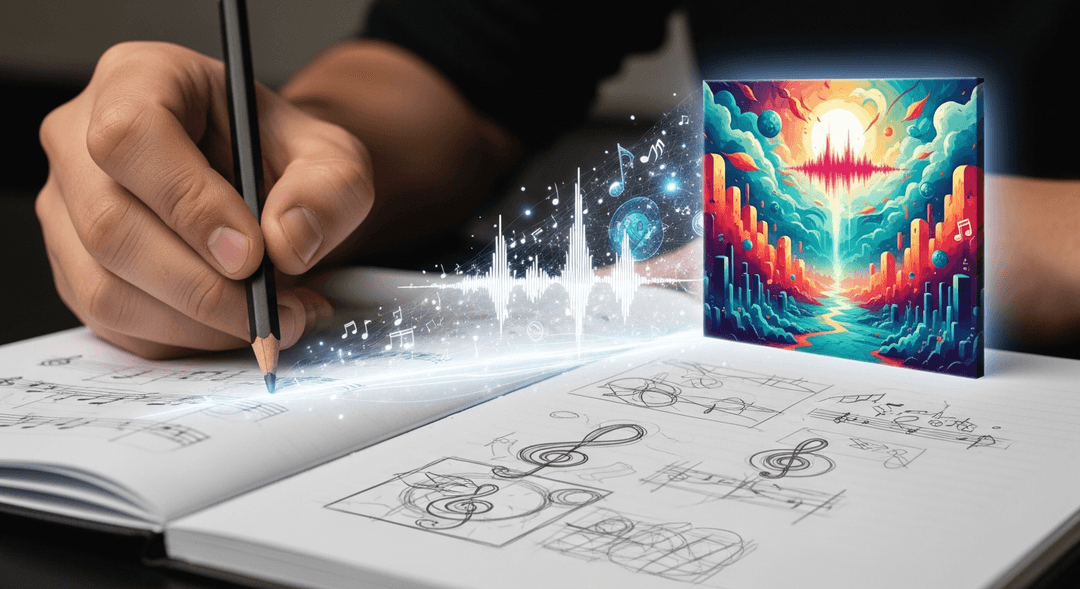
Generating a captivating image with AI is an exciting first step, but transforming that raw output into a release-ready album cover requires a few more crucial stages. Distributors have specific technical requirements that your artwork must meet, from resolution to file format. Understanding these specifications and knowing how to prepare your Midjourney album cover or other AI-generated art is essential for a smooth release.
This section will guide you through optimizing your AI masterpiece, ensuring it looks stunning and meets all industry standards.
Upscaling and Enhancing Your AI Masterpiece
One common challenge with AI-generated images, especially from free or lower-tier services, is their initial resolution. A typical Midjourney album cover output might be around 1024x1024 or 1792x1024 pixels, which is often insufficient for digital distributors who typically require a minimum of 3000x3000 pixels at 300 DPI. Fortunately, several excellent AI upscaling tools (e.g., Topaz Gigapixel AI, Upscayl, waifu2x) can intelligently increase your image's resolution without significant loss of quality, often enhancing details in the process.
Look for upscalers that use AI algorithms to "guess" missing pixels, resulting in sharper, larger images. Test different upscalers to find one that best preserves the artistic integrity of your AI creation. This step is non-negotiable for professional distribution.
Meeting Distributor Specifications: Resolution and Format
Most major music distributors (e.g., DistroKid, TuneCore, CD Baby) require album art to be a perfect square, typically 3000x3000 pixels or larger, with a resolution of 300 DPI. The preferred file formats are usually JPEG or PNG. JPEG is generally suitable for photographic images, offering good compression, while PNG is better for images with sharp lines, text, or transparent backgrounds, as it is lossless.
Always check your distributor's specific guidelines, as requirements can occasionally vary. Ensuring your image meets these technical standards from the outset prevents delays in your release process. For a comprehensive plan to launch your music, check out our guide on how to maximize your independent music release.
Essential Post-Production Edits and Text Integration
Even the most stunning AI-generated image often needs a final touch. Basic image editing software (e.g., GIMP, Canva, Adobe Photoshop) can be used for color correction, contrast adjustments, and cropping to refine the composition. This ensures your artwork looks vibrant and consistent across various platforms.
Crucially, you'll need to add your artist name, album title, and any other necessary text elements. Choose clear, legible fonts that complement your artwork's style. Ensure the text is placed strategically, avoiding critical visual elements and leaving ample margins. Double-check for typos and legibility on small screens, as this is how many fans will first encounter your art.
Copyright AI Music Art: What Independent Artists Need to Know
The intersection of AI and intellectual property is a rapidly evolving legal landscape, and understanding the nuances of copyright AI music art is paramount for independent musicians. While AI offers incredible creative power, the ability to copyright works created with AI assistance is not as straightforward as with purely human-made art. Protecting your creative contributions requires careful consideration and adherence to current guidelines.
Staying informed about the legal framework is essential to ensure your album art is not only unique but also legally sound.
The Human Authorship Requirement
Currently, the prevailing stance from authorities like the U.S. Copyright Office is that copyright protection requires human authorship. This means purely AI-generated works, without significant human creative input, are generally not copyrightable. The question then becomes: how much human input is "significant"?
If you use AI as a tool, much like a paintbrush or a camera, and apply your own creative choices in selecting prompts, arranging elements, making substantial modifications, or adding human-created components, your work may be eligible for copyright protection. The key is demonstrating that the human creator exercised creative control over the final output. The U.S. Copyright Office Guidance on AI-Generated Works provides detailed information on this requirement.
Disclosing AI Involvement: Best Practices for Transparency
Transparency is becoming increasingly important in the age of AI. Some platforms and distributors are beginning to ask for disclosure regarding the use of AI in creative works. For example, Spotify has been strengthening its policies related to AI-generated content. While specific policies for album art are still developing, it's wise to be prepared.
If your album art involves AI, consider transparently disclosing its use where appropriate, especially if submitting to platforms that might require it. This builds trust with your audience and aligns with evolving industry standards. For more insights into how AI content is being regulated, check out Music Business Worldwide on AI Copyright for Music Creators.
Protecting Your Unique Creative Contributions
To maximize the copyrightability of your AI-assisted artwork, document your creative process. Keep records of your prompts, iterations, and any post-production editing you performed. This evidence helps demonstrate your significant human input and creative control. If you integrate human-drawn elements, photography, or unique graphical overlays with your AI base, these contributions strengthen your claim to authorship.
The intellectual property landscape surrounding AI is dynamic. Organizations like WIPO are actively discussing the implications. Stay informed by following resources like WIPO's Perspective on AI and Music Copyright. Understanding these evolving guidelines ensures you can confidently release and protect your unique artistic creations. For specific platform requirements, always refer to their official statements, such as Spotify's AI Policies and Artist Protections.
Best Practices & Advanced Tips for AI Album Art Success
Creating a single stunning album cover with AI is a great start, but true success comes from integrating this powerful tool into your broader artistic and marketing strategy. By thinking beyond just the cover, you can leverage AI to build a cohesive visual brand and amplify your music's reach. This section offers advanced tips to help you maximize the impact of your AI-generated art.
From maintaining brand consistency to exploring new promotional avenues, these strategies will ensure your AI artwork serves your career effectively.
Brand Consistency Across Your Visuals
Your album art is a cornerstone of your visual brand, but it's not the only one. Use AI to generate complementary visuals for all your music marketing materials. This includes social media graphics, banner art for your profiles, website backgrounds, and even visuals for lyric videos or short promotional clips. By using similar prompts, styles, and color palettes, you can create a consistent aesthetic that strengthens your brand identity across all platforms.
A unified visual language makes your music instantly recognizable and reinforces your artistic persona. This holistic approach ensures every piece of content you release contributes to a strong, memorable brand image.
Beyond the Cover: AI for Promotional Assets
The utility of AI art extends far beyond just album covers. Consider using your AI art generator to create unique visualizers for your tracks, captivating social media carousels, or even distinctive merchandise designs. Imagine t-shirts featuring your unique AI-generated art, or animated visuals for your YouTube channel that perfectly match your album's vibe.
This expands your creative output without increasing your budget for traditional graphic design, allowing you to produce a wealth of high-quality, on-brand promotional content quickly and efficiently. AI can become a core part of your content creation workflow.
Staying Ahead: The Evolving World of AI Art
The field of AI art generation is advancing at an astonishing pace. New tools, features, and prompt engineering techniques emerge constantly. To maintain your edge, make it a habit to explore new AI platforms, follow AI art communities, and experiment with novel approaches. Learning to utilize new parameters or integrate different AI tools can unlock even more creative possibilities for your music.
Beyond the technical aspects, consider the ethical implications and responsible use of AI in your creative process. As AI becomes more sophisticated, understanding its impact on authorship, originality, and the creative industry is crucial for every independent artist. Integrating AI art generation into broader passive music promotion strategies can maximize its impact, allowing your visuals to work for you even when you're not actively promoting.
Frequently Asked Questions About AI Album Art
Can you copyright an album cover created with a free AI art generator?
The ability to copyright an album cover created with a free AI art generator depends heavily on the level of human creative input involved. While purely AI-generated works typically lack copyright protection under U.S. law due to the "human authorship" requirement, significant human involvement can make it copyrightable. If you select, arrange, modify, or add substantial human-created elements to the AI output, demonstrating creative control and original expression, you may be able to secure copyright. Always document your creative process and modifications to support your claim.
What are the best AI art prompts for music album covers?
The best AI art prompts music for album covers are specific, descriptive, and emotionally resonant with your sound. They typically include the subject, style (e.g., "vaporwave," "oil painting," "surrealism"), mood (e.g., "ethereal," "gritty," "joyful"), specific details (e.g., "neon glow," "ancient ruins," "cosmic dust"), and technical parameters (e.g., "--ar 1:1" for aspect ratio, "--no text" for negative prompts). Examples include "cyberpunk city at night, rain-slicked streets, lone figure, synthwave aesthetic, album cover art, vibrant purples and blues, high detail" or "dreamy forest at dawn, mystical creatures, soft pastel colors, fantasy illustration, indie folk album cover."
How do I upscale Midjourney album cover art for music distributors?
To upscale your Midjourney album cover art for music distributors (who typically require 3000x3000 pixels or more), you'll need to use an AI upscaling tool. After generating your desired image in Midjourney, use its built-in "Upscale" buttons (U1, U2, U3, U4) to get the highest resolution it offers. Then, export that image and feed it into a dedicated AI upscaling software like Topaz Gigapixel AI, Upscayl, or even online tools like BigJPG. These tools use advanced algorithms to increase resolution without significant pixelation, creating a crisp, high-resolution image suitable for distribution. Always double-check your distributor's specific size and DPI requirements.
Does Spotify allow AI-generated album art for independent artists?
As of late 2023, Spotify has emphasized strengthening its AI protections for artists, particularly concerning impersonation and content manipulation. While there isn't a blanket ban on AI-generated album art, Spotify, like many platforms, is moving towards greater transparency regarding AI involvement. It's crucial for artists to ensure their AI-assisted album art does not violate any copyright or intellectual property rights, and that it accurately represents their music without deception. Always check Spotify for Artists' latest guidelines for specific requirements or disclosure policies regarding AI-generated content to ensure compliance.