
How to Create the Perfect Homepage for Your Band Website
Someone hears your song on a playlist, loves it, and Googles your name. What do they find? If your homepage is just a pretty picture and a few links, you’ve probably lost them. Your website’s homepage shouldn't be a passive brochure. It needs a job to do: to turn that curious listener into a real fan who buys a ticket or joins your mailing list. It’s the one place online you control completely, so let’s make it work for you.
Get your visual first impression right
You have seconds before someone decides to click away. Your homepage has to set the mood and tell people what to expect, fast. Your visual brand needs to be clear and compelling from the moment the page loads.
Put your name where people expect it
When someone lands on your page, they need to know they're in the right place. Your artist name or band logo should be one of the first things they see. Most sites put it in the top left corner or centered in the header. Stick with that, because it’s what people are used to. This is about consistency. That logo, that font, those colors—they’re all part of how you build an unforgettable brand. Use the same visuals on your social media and your website to build a stronger, more memorable identity.
Choose a header image that works everywhere
After your name, the next thing they'll see is your main header image. This isn't the place for a blurry phone shot. This image should communicate your sound and your personality. If you're a high-energy rock band, show that. If you're an introspective folk artist, reflect that quiet depth. A common mistake is using a photo that looks great on a desktop but gets cropped awkwardly on a phone. Always choose an image with some space around the edges. If it’s a band shot, make sure no one is right at the edge of the frame, or they might disappear on mobile. **Test it on your own phone before you publish.**
Give visitors something to do right away
Once you've made a strong visual impression, you need to quickly answer the two questions on every visitor's mind: "Who are you?" and "What do you sound like?"
Put your new music front and center
Don't make people dig for your music. Embed your latest track or a whole playlist directly on your homepage. A simple Spotify or Bandcamp player widget is perfect for this. If you have a compelling music video, even better. Seeing you perform can be far more engaging than just an audio track. For example, if you just released a new single, put its streaming player right at the top, maybe just under your header image. It removes any friction between the visitor and your music.
Write a short bio that pulls people in
No one is going to read your life story on the homepage. They do want a quick, captivating snippet that tells them who you are. This isn't your full bio; it's a teaser of two or three sentences. Instead of "John Doe is a singer-songwriter from Nashville," try something like: "John Doe weaves raw, heartfelt lyrics with dusty Americana melodies, creating songs that feel both familiar and new." That kind of language creates an emotional connection and gives a real hint of your sound. Your website is your central hub for all artist information, as articles like why every artist needs an official website point out.
Make your navigation menu obvious
If people can't find their way around, they'll get frustrated and leave. Your navigation menu should be simple and clear. Stick to standard menu items like "Music," "Tour," "About," "Merch," and "Contact." Avoid creative but confusing names. Make sure your menu is visible and easy to tap on a phone. Good navigation helps people explore your work without thinking twice, which is a key part of effective music promotion strategies for building a band website.
Tunepact tip: A music-first link-in-bio page for your releases, socials and shows. Create your bio link →
Tell people what to do next
A homepage with great music is good, but a homepage that tells visitors what to do is better. These calls to action are what turn passive listeners into engaged fans.
Place your main call to action carefully
First, decide on the single most important action you want someone to take. Do you need more Spotify streams? More email subscribers? Ticket sales? Make that your most prominent call to action. Don't bury it at the bottom of the page. For example, if you're pushing a new single, a brightly colored button that says "Stream New Single on Spotify" placed directly under the embedded player is far more effective than a small Spotify icon in your footer. Use a contrasting color to make the button stand out.
Offer more than one way to connect
While "Listen Now" is a great start, your homepage can offer a few other options. Think about what a fan might want to do next. After listening, they might want to join your mailing list, follow you on social media, or buy a t-shirt. You can add buttons for actions like "Join the Inner Circle" for your email list, "Get Tour Tickets," or "Shop Merch." These varied options cater to different levels of interest and are part of the best website practices to convert casual listeners into paying customers. Don't overwhelm them, but make sure the key next steps are clear.
Make sure people can find your site

Your homepage is only effective if people can find it and if it helps you build a lasting connection with your audience. A little optimization will make your site work much harder for you.
Check your site on a phone
Most people will find your website on their phones. If your homepage looks broken, loads slowly, or is hard to use on a mobile device, you'll lose them. Test your site on different phones. A fast-loading site provides a better experience, and it's also a factor in how search engines rank your page. Use optimized images and avoid anything that slows your site down. This is a fundamental part of improving your site's conversion rate.
Help Google understand who you are
You want people to find you when they search for your music. Basic search engine optimization (SEO) isn't as complicated as it sounds. Make sure your artist name is in your page title and is written clearly on the page. Use relevant words in your mini-bio, like your genre or location. For example, if you're a "folk-punk band from Portland," make sure that phrase appears naturally on your homepage. This helps search engines understand what your site is about. Choosing the right platform can make this much easier when you create your artist website.
Use your homepage to build your email list
Your email list is your most valuable asset. Social media algorithms change, but your email list gives you a direct line to your most dedicated fans. Your homepage is the perfect place to ask for sign-ups. Place an email sign-up form somewhere obvious, like right below your main music player. Offer a clear reason to join: "Get exclusive updates and early access to new music." Don't just say "Subscribe"—tell them what they get in return.
Use a Smart Bio Link to send people to your homepage
You've built this fantastic homepage, but how do you get everyone to it? Tunepact's Smart Bio Link can help. It's a music-first link-in-bio page for your releases, socials and shows.
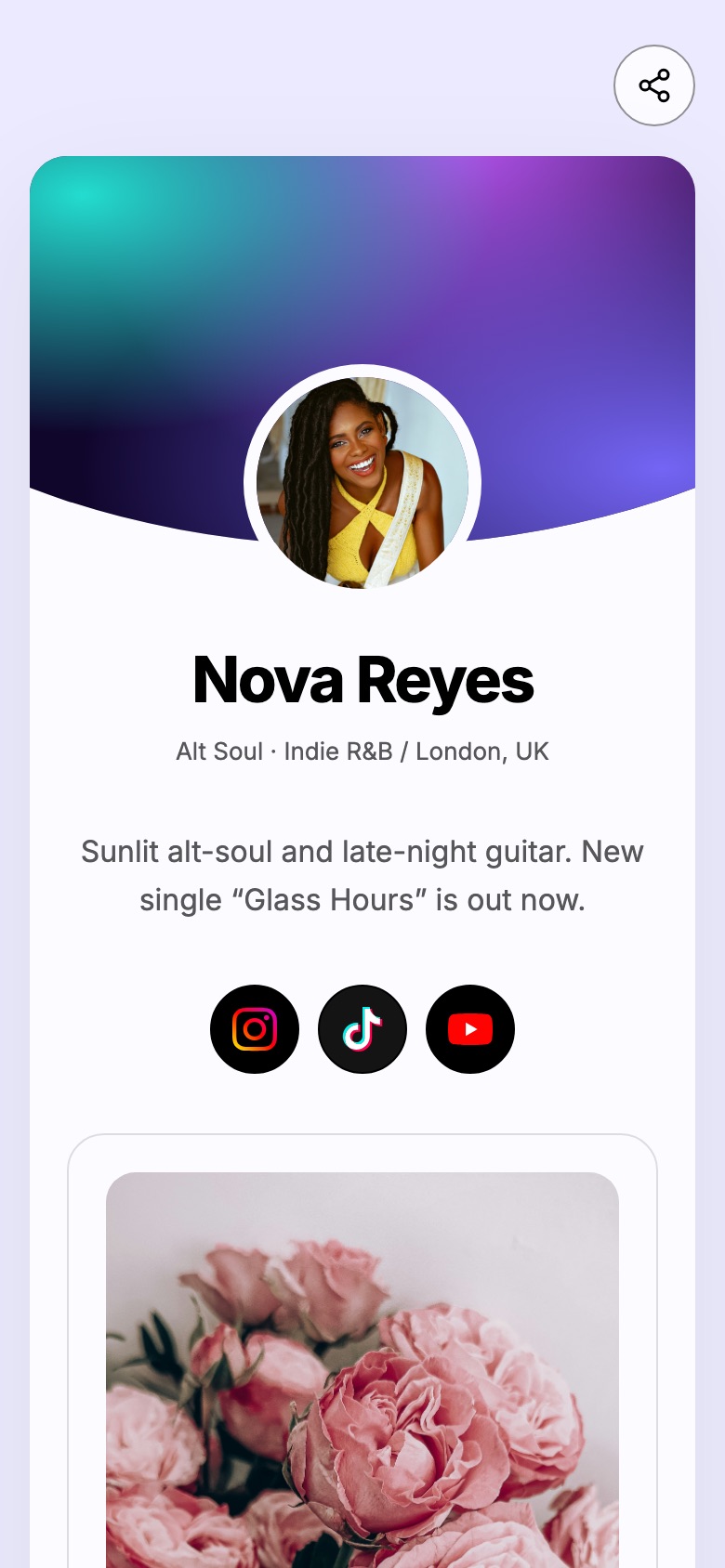
Think of your Smart Bio Link as the main gateway to your entire online world. From your Smart Bio Link, you can feature your official website as the top link, making it the primary destination for anyone clicking from your Instagram bio or TikTok profile. This gives fans a clear path to the home you've built, while still letting them quickly access a specific streaming link or social profile if that's all they need.
You can also embed your Smart Bio Link on your website, perhaps on a "Links" page. This gives fans a dynamic, easily updated hub for everything they need without you having to constantly edit your main site. It complements your website by acting as a quick-access portal for things like your touring schedule or an updated link to create a professional EPK.
Frequently Asked Questions
How often should I update my band's homepage content?
You should update your homepage content whenever you have something new and significant to announce, like a new release, a major tour, or a significant press feature. Aim for at least quarterly updates, even if it's just refreshing your photos or a short news blurb, to keep it feeling current and active.
What's the single most important element for a musician's homepage to convert visitors?
The single most important element is clear and immediate access to your music, usually an embedded player for your latest release. Visitors come to hear you, so making that experience frictionless is paramount for conversion.
Can independent artists create a professional homepage without a large budget?
Absolutely. Many excellent website builders offer affordable plans, and some even have free tiers, allowing independent artists to create professional homepages without a large budget. Platforms designed for musicians, like artist website builders like Bandzoogle, simplify the process with music-specific features.
Should my homepage directly link to my Electronic Press Kit (EPK)?
No, your homepage should not directly link to your EPK. An EPK is primarily for industry professionals. Instead, create a separate "Press" or "Contact" page with a link to your EPK, keeping your homepage focused on engaging fans.