Crafting Your Own Indie Music Video on a Budget
In today's visually-driven music landscape, a compelling music video is no longer a luxury for independent artists – it's a powerful necessity. Many musicians, however, feel daunted by the perceived high costs and technical complexities of video production. The good news? You absolutely can create a high-impact visual story for your music without emptying your bank account. This guide from TunePact will show you how to master the art of the micro-budget music video, turning your creative vision into an engaging reality that captivates fans and amplifies your sound.
The Power of DIY: Why Indie Artists Need a Micro-Budget Music Video
Forget the days when only major labels could afford slick, expensive music videos. The landscape has shifted dramatically, and independent artists are perfectly positioned to thrive in this new era of visual content. A DIY music video isn't just a cost-saving measure; it's a strategic advantage.
Redefining "High Production Value" for Today's Audience
Today's audience often values authenticity and raw creativity over Hollywood-level polish. They connect with genuine stories and innovative ideas, regardless of the budget. What truly matters is the emotional impact and how well the visuals complement your song.
This shift means that "high production value" can now be redefined by originality, emotional resonance, and a clear artistic vision, rather than just expensive gear. Your unique perspective as an independent artist is your greatest asset.
The Strategic Advantage for Independent Musicians
For independent musicians, a well-executed music video serves multiple crucial functions. It's a powerful marketing tool that can significantly boost your discoverability on platforms like YouTube, Instagram, and TikTok.
It also provides a deeper, more immersive experience for your listeners, allowing them to connect with your music on another level. A strong visual can tell a story, evoke a mood, or highlight your personality, making your music more memorable and shareable.
Unlocking Creative Freedom with DIY Music Video Production
One of the greatest benefits of producing your own video is the unparalleled creative control you maintain. You're not beholden to a large production company's vision or budget constraints that might stifle your original ideas.
This means you can experiment, take risks, and truly bring your artistic vision to life exactly as you imagine it. The cost-effectiveness of this approach allows you to invest more resources into other areas of your music career, like recording or promotion.
Concept to Screen: Creative Music Video Ideas & Smart Planning
Before you even think about hitting record, the most critical step is planning. A well-thought-out concept and meticulous pre-production can elevate a low budget music video from amateur to impactful.
Brainstorming Your Vision: Beyond the Obvious
Start by deeply understanding your song's message, mood, and lyrics. What story does it tell? What emotions does it evoke? Brainstorming should focus on how to translate these elements visually in compelling and unexpected ways.
Don't just think literally. Explore metaphors, abstract concepts, or a single powerful image that encapsulates the song. Sometimes the most compelling visuals come from the simplest, most unconventional ideas.
Resourcefulness is Your Secret Weapon for a Low Budget Music Video
When working with limited funds, resourcefulness becomes your superpower. Look around you: what locations do you have easy access to? A friend's backyard, a unique local landmark, an abandoned building (with permission!), or even just a well-lit room in your house can become your set.
Consider props, costumes, and even actors. Do you have friends who are artists, dancers, or just willing to help out? Can you borrow interesting clothing or objects? Leveraging existing assets is key to making a low budget music video look far more expensive than it was. For more inspiration on making the most of minimal resources, check out this Beginner's Guide to Micro-Budget Music Videos that offers practical advice on performance, location, and lighting.
Storyboarding and Pre-Production Essentials
Once you have a concept, break it down. Create a storyboard, which is essentially a comic-book version of your video, showing each shot, angle, and action. This helps visualize the flow and identify any potential issues before filming.
Develop a shot list detailing every shot you need, including camera angle, movement, and what's happening. Plan your schedule around available light and locations. Good pre-production is the backbone of any successful video, especially when resources are tight. These creative music video ideas will only come to life with careful planning.
Shooting Smart: Production Tips for Your Indie Music Video
The actual filming process can be intimidating, but with the right approach and a few clever tricks, you can achieve surprisingly professional results. This section focuses on practical advice for how to execute your vision.
Gear Hacks: How to Shoot a Music Video with Your iPhone
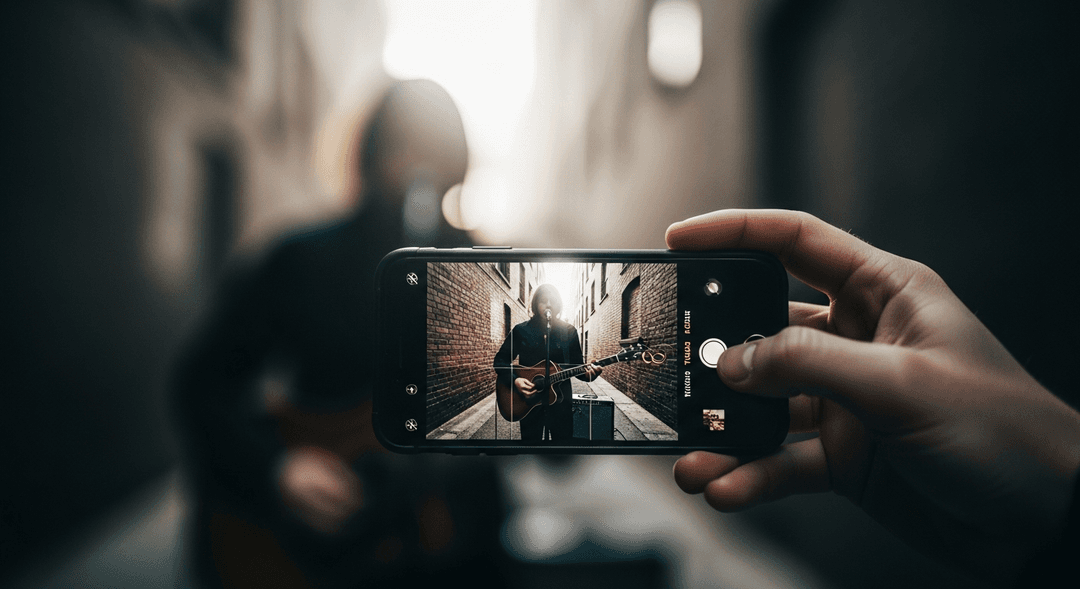
You don't need a high-end camera to create stunning visuals. Modern smartphones, particularly iPhones, are incredibly capable. To shoot music video with iPhone effectively, here are some tips:
- Stabilization is Key: Use a tripod or a gimbal. Shaky footage is the quickest way to make a video look unprofessional.
- External Microphone: While your song audio will be separate, if you're filming any dialogue or ambient sounds, an external mic (even a simple lavalier) will vastly improve quality.
- Manual Camera Apps: Apps like Filmic Pro give you manual control over exposure, focus, ISO, and frame rate, which is crucial for a cinematic look.
- Shoot in 4K: If your phone supports it, shoot in 4K for maximum detail and flexibility in editing, even if you export in 1080p.
- Clean Your Lens: A smudged lens can ruin your footage. Always wipe it clean before shooting.
Lighting, Audio, and Performance: Making the Most of What You Have
Beyond the camera, these elements are critical for a polished look and feel:
- Natural Light is Your Friend: The sun is the best (and free) light source. Shoot during "golden hour" (shortly after sunrise or before sunset) for soft, warm light. Overcast days offer soft, diffused light perfect for portraits.
- Affordable Lighting Setups: If natural light isn't enough, consider a simple LED panel or even household lamps with diffusers (like parchment paper) to create soft light. Three-point lighting (key, fill, and back light) can be mimicked with minimal gear.
- Clear Audio (for playback): Ensure your playback track is of high quality. You'll be lip-syncing, so the performance needs to align perfectly with the pristine audio.
- Captivating Performance: Your energy on camera is paramount. Practice your performance, conveying the song's emotion through facial expressions and body language. Watch your favorite artists and emulate their stage presence.
Editing Your Vision: Free Tools and AI Assistance
Post-production is where your footage truly comes alive. Many free and affordable editing software options are available:
- Desktop: DaVinci Resolve (free, professional-grade), HitFilm Express (free), or even iMovie (Mac) and Windows Video Editor (PC) for beginners.
- Mobile: CapCut, InShot, and VN Video Editor offer powerful editing capabilities directly on your phone, making it easy to create a low budget music video from start to finish.
- AI Music Video Makers: Tools like Rotor can help you generate visuals quickly and efficiently, often by analyzing your music. While not a replacement for a custom-shot video, they can be great for quick teasers or supplementary content. For a detailed comparison of such tools, check out TunePact vs Rotor.
Focus on pacing, color grading, and ensuring the edits align with the rhythm and emotion of your song. Don't be afraid to experiment!
Maximizing Reach: Distributing and Promoting Your DIY Masterpiece
Creating your music video is only half the battle. To truly succeed, you need a robust distribution and promotion strategy that reaches your target audience. These music video production tips for indie artists extend beyond filming.
Crafting a Winning Music Video Release Strategy on YouTube
YouTube remains the undisputed king for music video discovery. Optimizing your video for the platform is crucial:
- High-Quality Upload: Always upload in the highest possible resolution (e.g., 4K if shot that way).
- Compelling Thumbnail: Design a custom thumbnail that is eye-catching and accurately represents your video's content.
- SEO-Friendly Title and Description: Include your artist name, song title, and relevant keywords. Write a detailed description that tells your video's story, includes lyrics, credits, and calls to action.
- Tags and Categories: Use relevant tags to improve discoverability.
- End Screens and Cards: Direct viewers to subscribe, watch other videos, or visit your website.
- Consistent Upload Schedule: If you plan to release more videos, maintain a regular schedule.
For an in-depth guide, explore our article on music video release strategy on YouTube.
Beyond YouTube: Leveraging Videos on Spotify and Social Media
Don't limit your video's potential to just YouTube. Other platforms offer unique opportunities:
- Spotify Canvas: While not a full music video, a captivating 8-second visual loop (Canvas) on Spotify can significantly enhance listener engagement. Leveraging Music Videos on Spotify for Artists explains how these short visuals drive fan engagement and discovery within the platform.
- Social Media Teasers: Create short, exciting clips from your video for Instagram, Facebook, and TikTok. These can serve as trailers to drive traffic to your full video.
- Behind-the-Scenes Content: Share snippets of your DIY process. People love seeing the effort and creativity behind the finished product.
Repurposing Content: From Full Video to Viral Clips
Maximize the lifespan and reach of your music video by repurposing its content. Cut your full video into:
- Short-Form Vertical Videos: Perfect for TikTok, Instagram Reels, and YouTube Shorts. Focus on a catchy moment, a cool visual, or a specific lyric.
- GIFs and Stills: Extract memorable moments to use in social media posts, email newsletters, or as promotional images.
- Lyric Videos: If your original video doesn't feature lyrics prominently, create a simple lyric video using snippets of your footage.
This strategy ensures that every minute you spent crafting your visual translates into maximum exposure across various platforms. Learn more about converting TikTok views into Spotify streams and measuring Instagram Reels performance to refine your strategy.
Engaging Your Audience: Turning Views into Fans with Smart Tools
The ultimate goal of your music video isn't just views; it's to convert those viewers into loyal fans. Strategic engagement is key to fostering a thriving audience.
The Power of Your Call to Action: Guiding Viewers to Your Music
Every piece of content you create should have a clear call to action (CTA). In your music video's description, pinned comment, and even within the video itself, tell people what you want them to do next.
Examples include: "Stream on Spotify," "Follow on Instagram," "Buy Merch," "Join My Mailing List." Make it easy for fans to take the next step in their journey with your music.
Analytics: Understanding Your Audience and Optimizing Performance
Don't just upload and forget. Dive into the analytics provided by YouTube Studio, Instagram Insights, and TikTok Analytics. Key metrics to track include:
- Audience Retention: Where do viewers drop off? This can inform future video pacing.
- Traffic Sources: How are people finding your video? This helps you understand which promotional efforts are working.
- Demographics: Who is watching your video? Tailor your future content and promotion to this audience.
- Engagement Rate: Likes, comments, shares – these indicate how much your audience connects with your content.
Understanding these insights allows you to continually refine your content strategy and create more effective videos over time.
Streamlining Your Digital Presence with a Music-Native Smart Bio Link
With so many platforms and links, it can be overwhelming for fans to find everything you do. A music-native smart bio link solves this problem by consolidating all your important links into one easy-to-share page.
From streaming services and social media profiles to your merch store and mailing list, a smart bio link provides a single destination for your fans. This simplifies their journey, making it far more likely they'll engage with all aspects of your artistic brand and convert from casual viewers to dedicated fans.
Frequently Asked Questions About DIY Music Videos
Can a music video shot on an iPhone truly look professional?
Absolutely! Modern iPhones are capable of capturing incredibly high-quality footage. The key to a professional look lies less in the camera itself and more in the execution: good lighting, stable shots (using a tripod or gimbal), thoughtful composition, and skilled editing. Many award-winning short films and even documentaries have been shot entirely on smartphones, proving their capability.
What are some effective creative concepts for a DIY music video without a large crew or expensive gear?
Focus on concepts that leverage simplicity and emotion. Consider a single-location narrative, a performance video in a unique, accessible space, a stop-motion animation using household items, or even a compelling lyric video with evocative visuals. Concepts centered around a strong personal story, a unique visual effect achieved through clever camera work (like forced perspective), or engaging choreography can be incredibly effective without a big budget. Resourcefulness with costumes, props, and natural light can elevate any idea.
Is it possible to shoot a professional-looking music video using only a smartphone, and what are the best tips?
Yes, it's entirely possible. To achieve a professional look with a smartphone, prioritize stabilization (gimbals are highly recommended), utilize good lighting (natural light is often best), and shoot in manual mode using an app like Filmic Pro for better control over exposure and focus. Always shoot in the highest resolution possible, clean your phone's lens, and invest time in quality post-production editing. Remember, the story and performance are more important than the gear.
After creating my DIY music video, how should I promote it to reach a wider audience?
Promotion is as crucial as production. Start by uploading to YouTube with an SEO-optimized title, description, and tags. Create short teasers and behind-the-scenes content for Instagram Reels, TikTok, and Facebook, linking back to the full video. Share it with your email list, friends, and family, and encourage them to share. Consider submitting it to relevant music blogs or online communities. Don't forget to use a music-native smart bio link to consolidate all your promotional links and make it easy for fans to find your music across all platforms.