
Analyzing Your Audience Engagement on YouTube
You spent a month on that new music video, the one you were so proud of, and it landed with a quiet thud. Meanwhile, a simple acoustic cover you uploaded two years ago is still getting comments every week. It’s confusing, and it can feel like you’re just guessing what people want. You’re not. Your audience is giving you direct feedback in your YouTube analytics. The numbers aren't just stats; they're a story about what connects, and it’s time to stop guessing and start listening.
Where to Find Your Engagement Data
To get started, sign into YouTube Studio. On the left-hand menu, click "Analytics," and then from the top menu, select the "Engagement" tab. This is your dashboard for how viewers are actually interacting with your videos.
In the Engagement tab, you'll find several useful reports. "Top Videos" shows your most popular uploads by watch time. "Top Playlists" tells you which of your collections are keeping people watching. "Top Posts" reveals which community posts are sparking conversation, and "Top Videos By End Screen" shows which of your final calls to action are working.
These reports give you a quick, honest picture. You might see that a stripped-down acoustic version of an older song consistently ranks in your "Top Videos," even outperforming your newer, high-production tracks. That’s a huge clue. It tells you your audience has an appetite for that style, or for a fresh take on your back catalog. You may have found a winning formula without even realizing it.
The Metrics That Actually Explain Your Performance
Knowing which videos are popular is just the start. You need to dig into *why* they’re popular by looking at the metrics that show you how long people stayed and whether they were interested enough to click in the first place.
Find Out Where You're Losing People
Audience retention is one of the most powerful reports for a musician. It shows you, second by second, what percentage of viewers are still watching. Look at the retention graph for your music videos. Is there a steep drop-off at the 10-second mark? Your intro isn't hooking people. Do you see a consistent dip around the 1:30 mark? Your song structure or the video's pacing might be losing steam there.
By studying these graphs, you can spot patterns. If every music video you upload sees a big drop when the second verse starts, maybe it's time to experiment with the arrangement or the visual story in that section. This isn't about changing your art; it's about making sure your art gets the attention it deserves.
Why Watch Time Matters More Than Views
It's easy to get caught up chasing views, but for YouTube's algorithm, **watch time is king**. This metric measures the total amount of time viewers have spent watching your content. A video with 100 views and an average watch time of 5 minutes is more valuable to the algorithm than a video with 1,000 views and an average watch time of 30 seconds.
So, your goal should be to increase watch time. This means creating content that keeps people watching from start to finish. If your average watch time is low, it suggests viewers aren't sticking around. You might need to refine your video's story, improve your audio quality, or reconsider the length of your videos. For more insights on this, check out this guide to YouTube analytics for artists.
Make Your Thumbnails and Titles Work Harder
Your Click-Through Rate (CTR) tells you how often people clicked on your video after seeing it. A high CTR means your thumbnail and title are doing their job. A low CTR means people are seeing your video in their feed or search results but scrolling right past it.
To improve your CTR, look at your thumbnails and titles. Are they clear and compelling? Do they accurately represent your video without being clickbait? You can test different thumbnails by uploading a video with one, then changing it after a week and comparing the CTR. Even small tweaks can make a big difference in getting that first click. We've talked about this before in our post on how independent musicians can get more YouTube views.
Find Your Formula and Do More of What Works
Once you understand *what* is working and *why*, the next step is to figure out how to do more of it. This isn't about becoming a robot, but about leaning into your strengths and giving your audience more of what they clearly enjoy.
Look for Trends in Your Top Videos
Go back to your "Top Videos" and "Top Playlists" reports. Don't just note which ones are popular; look for the common threads. What do these top performers share? Maybe it's a visual style, like a consistent color palette or a type of location. Perhaps it's a certain mood in the music, or a lyrical theme that connects with your audience.
Here’s a practical way to do this. Create a simple spreadsheet and list your top 5-10 videos. For each one, note the song genre, lyrical theme, video style (performance, narrative, lyric video), intro length, and average watch time. When you see it all laid out, the patterns often become obvious. This helps you build a template for future content that has a better chance of succeeding. This artist guide to YouTube analytics offers more detail on how to use these insights.
Give Your Audience What They Prefer
Your analytics might reveal some surprising preferences. For instance, if your acoustic cover videos consistently get more views and longer watch times than your original rock tracks, that's a strong signal. It doesn't mean you should stop making rock music. But it does mean you should think about putting more effort into acoustic arrangements or promoting those acoustic videos more heavily.
This insight can inform your next release, not just your video strategy. Could you release an acoustic EP? Feature an acoustic track as a B-side? Or start a separate series of acoustic sessions? It's about understanding what your audience actively seeks from you and delivering it in a way that feels right for you. We've covered this in our post about new YouTube strategies and tools for musicians.
Connect YouTube Views to Actual Fan Growth
YouTube analytics tells you what happens on YouTube. But what about when a viewer clicks a link in your description to pre-save a song or join your mailing list? That's where you need to connect your YouTube insights to your broader fan list.
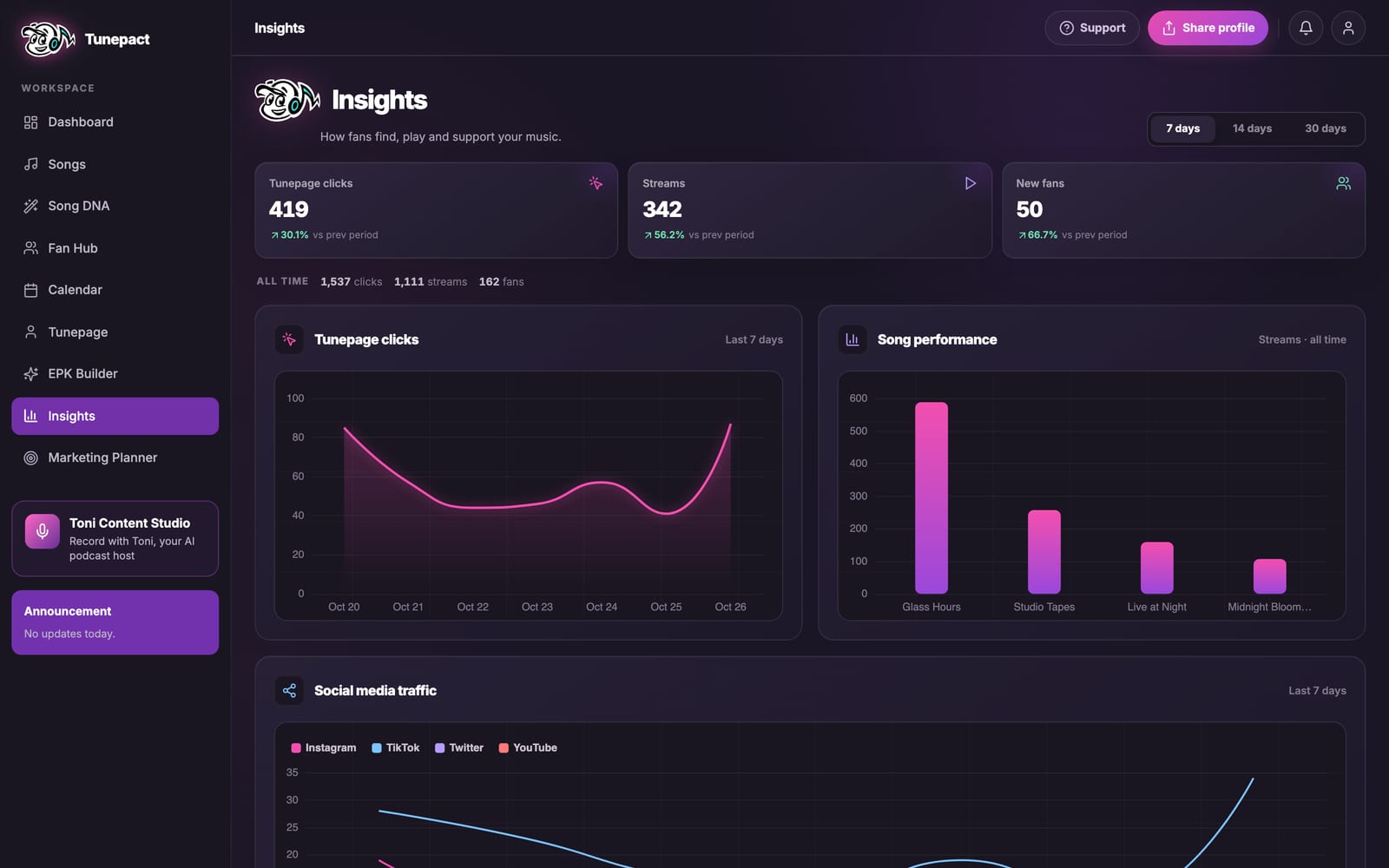
You can use your YouTube engagement data to understand which videos are driving viewers to take that next step. If a music video has high audience retention and a strong CTR, you know it's working. But did that engagement translate into real fan growth?
This is where TunePact comes in. The Fan Analytics Dashboard lets you track fan growth and see which links your fans engage with. Imagine YouTube shows high engagement on a video promoting your new single, where you included a pre-save link in the description. By using TunePact, you can see exactly how many viewers from that video clicked your pre-save link and followed through. This shows you which YouTube efforts are actually turning viewers into trackable fans, giving you a full picture of your music's impact.
Use Your Data to Build a Real Community

Your analytics can also tell you what your community cares about, helping you build deeper connections and a more loyal group of fans.
Turn Engagement Data into Conversation
Look at your "Top Posts" report in YouTube Studio. What kind of community posts get the most likes, comments, or poll votes? Do your fans love behind-the-scenes photos? Are they interested in your opinion on other music? Do they respond to polls about your next song? These aren't vanity metrics; they're direct signs of what sparks interest.
Use these insights to guide how you talk to your audience. If they're highly engaged with polls about your next song's theme, involve them in the process. Ask for their input. Share snippets and ask for feedback. This kind of interaction makes them feel invested in your work, turning passive viewers into active supporters. This article on YouTube best practices for musicians offers more ideas on this front.
Convert Viewers into Dedicated Fans
The biggest mistake you can make is ignoring these signals. Your audience is telling you what they want. If your comments section is full of requests for guitar tutorials but you never make them, you're missing an opportunity to serve your audience and strengthen their connection to you.
Creating content that directly addresses what your audience asks for—whether it's Q&As, behind-the-scenes videos, or direct involvement in creative decisions—builds immense loyalty. This is how you turn casual viewers into the kind of fans who will buy your merch, stream your albums, and show up at your gigs. This is how you build a fanbase that sticks around. We've talked more about this in our posts on building a music fanbase that stays and essential music analytics tools.
Frequently Asked Questions About YouTube Analytics for Musicians
How often should independent musicians check their YouTube analytics?
You should check your YouTube analytics at least once a week, especially after a new release, to gauge initial performance. A deeper dive once a month will help you track longer-term growth and refine your content strategy.
What's the single most important YouTube metric for growing a music channel?
While many metrics are important, **watch time** is arguably the most critical for growing a music channel. YouTube's algorithm heavily favors content that keeps viewers on the platform longer, which directly impacts your visibility and recommendations.
How can I improve audience retention specifically for my music videos?
To improve audience retention, focus on a strong intro that hooks viewers quickly, use dynamic visual storytelling throughout the song, and consider varying your song structure to maintain interest. The best place to start is by analyzing your current retention graphs to see exactly where people are dropping off.
Do YouTube Shorts views impact my overall channel analytics differently?
Yes, YouTube Shorts views are often counted separately from long-form video views, especially in how they contribute to watch time for monetization. While Shorts are great for discovery and attracting new subscribers, their watch time doesn't always contribute to the same eligibility thresholds as your longer videos.
