


Tune.page and Tunepact vs Linkfire
Linkfire offers music-link and campaign-measurement tools. Tunepact connects Tune.page with the work artists do around their songs and fans. Your choice depends on the page experience, reporting, and wider workflow you need.
By the Tunepact team · Reviewed
Published by Tunepact, the company behind Tune.page. Linkfire details come from Linkfire’s own published pages, linked below; this is a review of published capabilities, not hands-on testing. Plans and features change, so check the official pages before choosing.
Your workflow
Choose based on your workflow
Compare artist pages, release links, and measurement needs.
Consider Tune.page and Tunepact
You want your artist page, songs, fans and release planning in one workspace.
- Songs come from your Song Library; fan signups land in Fan Hub
- Visits and fan signups for your own page
- Collecting fans is included on the Free plan
Consider Linkfire
You need campaign measurement that goes beyond clicks on your page.
- Streaming insights from services such as Apple Music, YouTube Music, Pandora and Deezer
- Breakdowns by channel, location and device
- Release and pre-release links alongside a bio page
Side by side
Feature comparison
Based on each product’s published pages, reviewed October 22, 2026. “Not verified” means we could not confirm it from an official source — not that the feature is missing.
| Feature | Tune.pageby Tunepact | Linkfire |
|---|---|---|
| Music presentation | Supported Featured song (YouTube or uploaded track), up to 20 top songs and an upcoming release. | Supported A bio page combining releases, tour dates, merch and music videos, on a brandable bio.to domain. |
| Streaming destinations | Plan dependent Add the streaming links you want fans to use: up to 3 on Free, no limit on Pro & Premium. Links are added by you, not matched automatically. Source: Free Tune.page plan details | Supported Release links as trackable landing pages. Automatic matching isn’t described on the page we reviewed. |
| Page styles | Plan dependent 12 styles. Classic and Modern are free; the rest come with Pro & Premium. Source: Tune.page templates | Supported Personalize the look and feel without design skills. |
| Fan signup | Supported Included on Free. Fans who sign up appear in Fan Hub. Emailing them needs Pro or Premium. Source: Free Tune.page plan details | |
| Activity on your page | Plan dependent Headline page visits and fan signups on every plan. Pro & Premium add visit trends, song performance, social traffic, top songs and fan locations. Source: Free Tune.page plan details | Supported Breakdowns by channel, location and device, and which marketing activities lead to clicks. |
| Downstream streaming insights | Not offered Tune.page measures activity on your own page, not what fans do after they reach a streaming service. | Supported Linkfire-exclusive streaming insights from Apple Music, YouTube Music, Pandora, Deezer and others. |
| Upcoming-release presentation | Supported Artwork, title, release date and a countdown. At the release time it switches to “Out now” using the links you added. | Supported Pre-release links to build momentum before release day. |
| Native pre-save processing | Not offered Tune.page shows the pre-save links you add. It does not process pre-saves itself. | Not verified The page we reviewed describes pre-release links but doesn’t name pre-saves. |
| Song Library connection | Supported Choose songs from your Tunepact Song Library. | Not applicable Separate platform from Tunepact. |
| Song DNA workflow | Supported Optional song analysis in the same Tunepact account. It is not needed to publish a Tune.page. | Not applicable Separate platform from Tunepact. |
| Pricing and billing basis | Supported Free plan. Pro $19/month or $190/year; Premium $49/month or $490/year (USD). Source: Tunepact pricing | Plan dependent Free trial, then a limited free account. Paid Pro and Teams plans billed monthly or yearly; Premium and Enterprise priced on request. Source: Linkfire pricing |
Screenshots
What a Tune.page looks like
Current Tune.page screenshots with an example artist. For Linkfire’s interface, see its own pages linked in the sources.
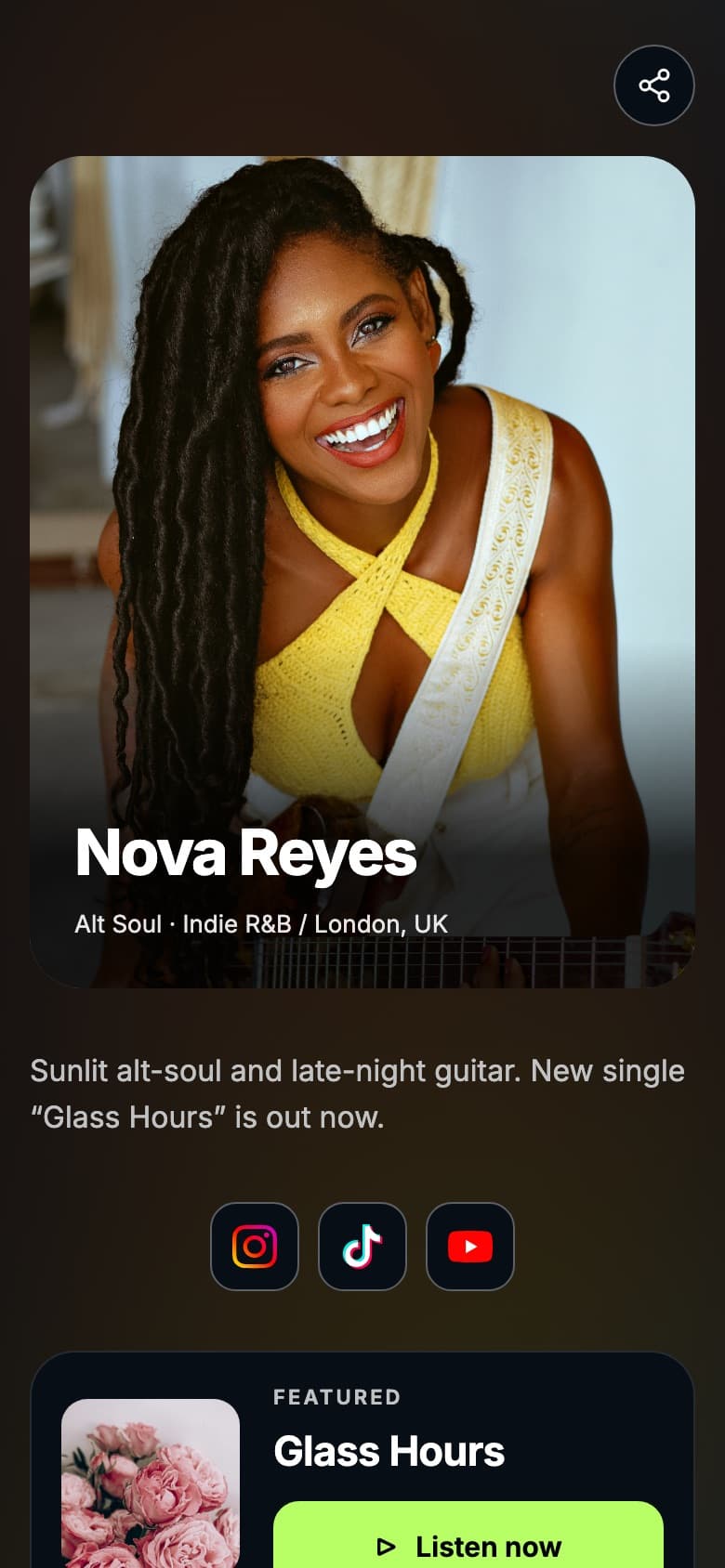
Artist page with a featured song
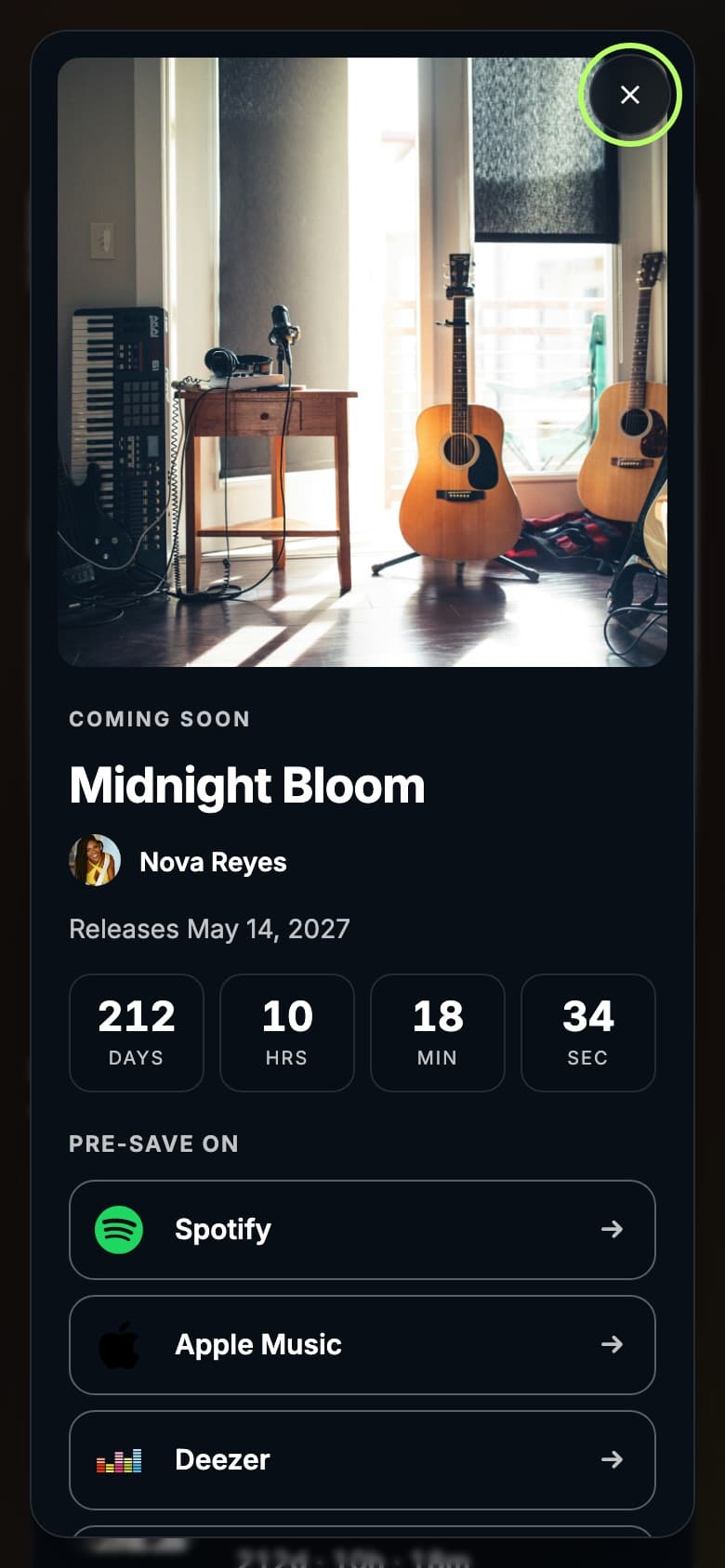
Upcoming release with countdown and pre-save links
Pricing
Check current pricing
Prices change. Compare the plans you would actually use.
Tune.page
Tune.page is free to start. Pro and Premium add more styles, unlimited streaming links, branding control, detailed analytics and fan email.
Tunepact pricingLinkfire
Linkfire offers a free trial, then Pro and Teams plans billed monthly or yearly, with Premium and Enterprise on request.
Linkfire pricingQuestions
Tune.page and Tunepact vs Linkfire: FAQ
Measurement, streaming insights and using both.
For an artist page connected to your songs and fans in Tunepact, yes. If you need streaming-service insights for your campaigns, Linkfire offers reporting Tune.page does not.
No. Tune.page reports visits and fan signups on your own page. It does not provide streaming-service insights after a fan leaves your page.
Yes. You can add Linkfire release links to your Tune.page and keep Tune.page as your artist page.
Sources
Where these details come from
Reviewed October 22, 2026.
Try it yourself
Build your Tune.page free
Create your artist page, bring over your links, and check it on your phone before you switch your bio link.