


Tune.page vs Linktree for Musicians
Linktree and Tune.page both help artists share multiple destinations through one URL. The choice depends on what you want to manage around that page. Tune.page connects your artist presence with your Song Library and Fan Hub inside Tunepact. Linktree offers a broad creator platform with dedicated music-link features.
By the Tunepact team · Reviewed
Published by Tunepact, the company behind Tune.page. Linktree details come from Linktree’s own published pages, linked below; this is a review of published capabilities, not hands-on testing. Plans and features change, so check the official pages before choosing.
Your workflow
Choose based on your workflow
Compare musician-page workflows and decide which platform fits your needs.
Consider Tune.page
You want your artist page connected to songs and fan management in Tunepact.
- Songs come from your Song Library
- Fan signups land in Fan Hub, in the same account
- Release planning, Song DNA and EPK tools sit alongside your page

Consider Linktree
You want a broad creator-link platform and its music-link ecosystem.
- Paste one music link and Linktree finds the other streaming services
- Pre-save links for Spotify, Apple Music and TIDAL
- One link platform for music and non-music destinations
Side by side
Feature comparison
Based on each product’s published pages, reviewed October 21, 2026. “Not verified” means we could not confirm it from an official source — not that the feature is missing.
| Feature | Tune.pageby Tunepact | Linktree |
|---|---|---|
| Music presentation | Supported Featured song (YouTube or uploaded track), up to 20 top songs and an upcoming release. | Supported Music links with 30-second audio previews for Spotify, SoundCloud and Audiomack; Linktree says these are on all plans. Source: Linktree: How to share your music on every streaming platform with one link |
| Streaming destinations | Plan dependent Add the streaming links you want fans to use: up to 3 on Free, no limit on Pro & Premium. Links are added by you, not matched automatically. Source: Free Tune.page plan details | Supported Paste one track or album link and Linktree finds matching links on other services (73+ platforms listed). Source: Linktree: How to share your music on every streaming platform with one link |
| Page styles | Plan dependent 12 styles. Classic and Modern are free; the rest come with Pro & Premium. Source: Tune.page templates | Plan dependent Core appearance options on Free; expanded appearance controls on paid plans. Source: Linktree pricing |
| Fan signup | Supported Included on Free. Fans who sign up appear in Fan Hub. Emailing them needs Pro or Premium. Source: Free Tune.page plan details | Supported Email sign-ups that sync to email platforms such as Mailchimp. Plan availability not stated on the page we reviewed. Source: Linktree: How to share your music on every streaming platform with one link |
| Available analytics | Plan dependent Headline page visits and fan signups on every plan. Pro & Premium add visit trends, song performance, social traffic, top songs and fan locations. Source: Free Tune.page plan details | Plan dependent Total clicks on all plans; streaming-platform breakdown and listener locations on paid plans. Source: Linktree: How to share your music on every streaming platform with one link |
| Upcoming-release presentation | Supported Artwork, title, release date and a countdown. At the release time it switches to “Out now” using the links you added. | Supported A pre-save link that becomes a standard music link on release day. Source: Linktree: How to share your music on every streaming platform with one link |
| Native pre-save processing | Not offered Tune.page shows the pre-save links you add. It does not process pre-saves itself. | Supported Fans can pre-save on Spotify, Apple Music and TIDAL. Plan availability not stated on the page we reviewed. Source: Linktree: How to share your music on every streaming platform with one link |
| Song Library connection | Supported Choose songs from your Tunepact Song Library. | Not applicable Separate platform from Tunepact. |
| Song DNA workflow | Supported Optional song analysis in the same Tunepact account. It is not needed to publish a Tune.page. | Not applicable Separate platform from Tunepact. |
| Pricing and billing basis | Supported Free plan. Pro $19/month or $190/year; Premium $49/month or $490/year (USD). Source: Tunepact pricing | Plan dependent Free, Starter, Pro and Premium. Prices vary by region and are shown in local currency; monthly or discounted annual billing. Source: Linktree pricing |
Screenshots
What a Tune.page looks like
Current Tune.page screenshots with an example artist. For Linktree’s interface, see its own pages linked in the sources.
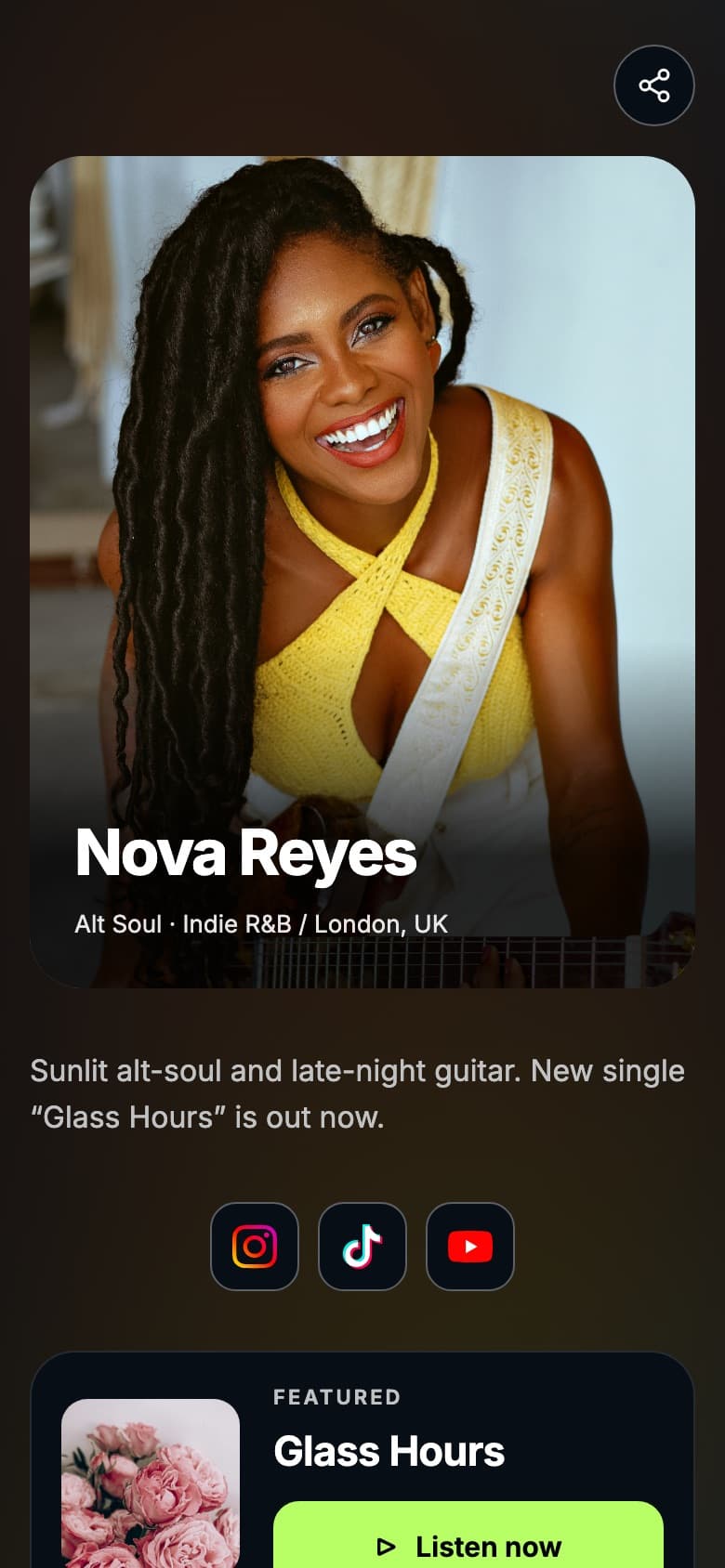
Artist page with a featured song
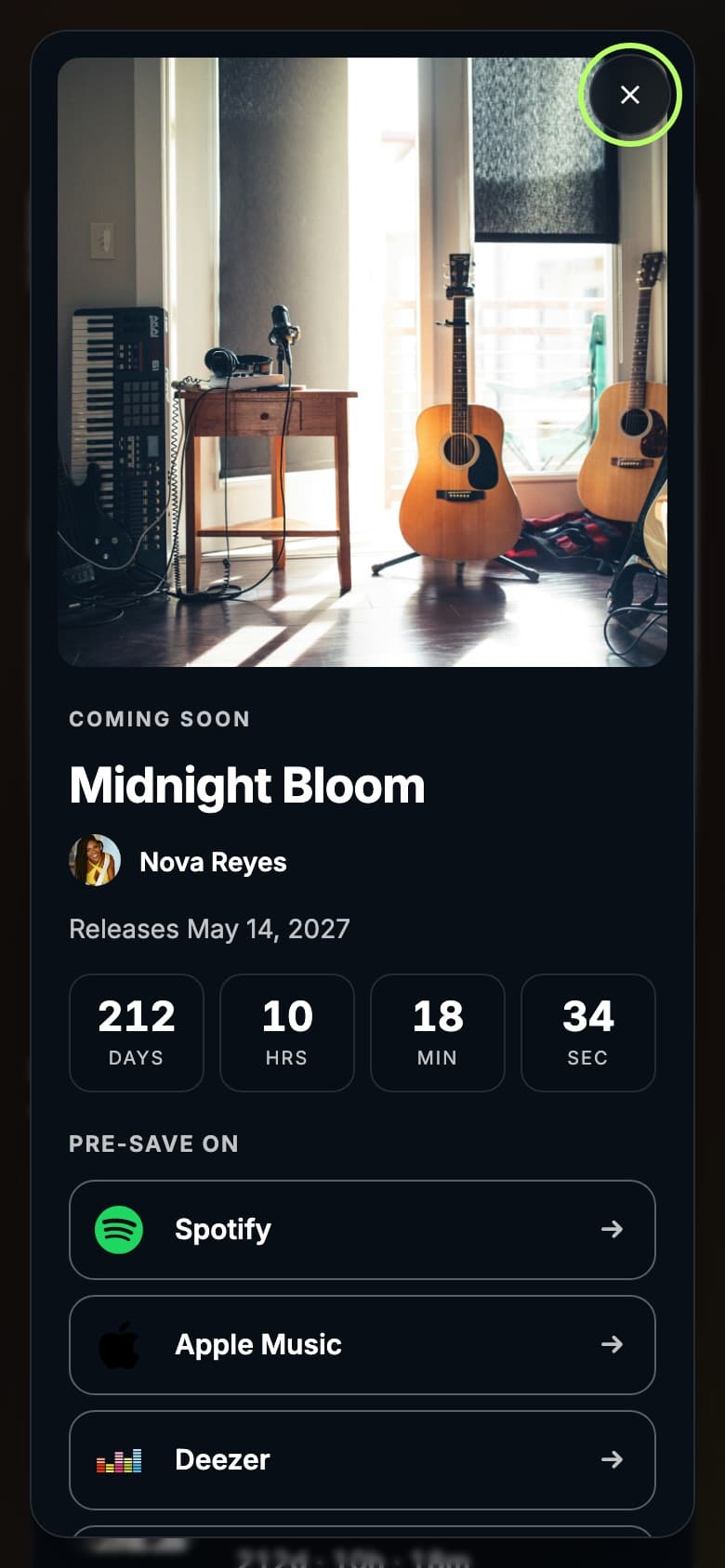
Upcoming release with countdown and pre-save links
Migration checklist
Moving your artist link from Linktree
To move your main artist link, create your Tune.page, bring over the music and social links you want to keep, check each destination, and publish.
- Create your Tune.page in Tunepact.
- Paste your public Linktree URL to import up to 50 links, or copy the links you want to keep.
- Check every destination and remove anything outdated.
- Publish your Tune.page and check it on your phone.
- Replace the bio URL in your profiles once the published page looks right on mobile.
Pricing
Check current pricing
Prices change. Compare the plans you would actually use.
Tune.page
Tune.page is free to start. Pro and Premium add more styles, unlimited streaming links, branding control, detailed analytics and fan email.
Tunepact pricingLinktree
Linktree has a Free plan and paid Starter, Pro and Premium plans, priced in local currency.
Linktree pricingQuestions
Tune.page vs Linktree for Musicians: FAQ
Moving over, pre-saves and streaming links.
Yes, if you want your artist page connected to your songs and fans in Tunepact. Linktree is a broad creator platform with its own music-link features.
Yes. Paste your public Linktree URL and Tunepact imports up to 50 links. Check each one before you publish.
No. Tune.page displays the pre-save links you add for an upcoming release, with a countdown. Fans open the service they choose.
No. Add the supported streaming links you want fans to use.
Yes. Running both while you move over is fine. Long term, one artist link is easier for fans and easier for you to keep current.
Sources
Where these details come from
Reviewed October 21, 2026.
Try it yourself
Build your Tune.page free
Create your artist page, bring over your links, and check it on your phone before you switch your bio link.